A calendar invite lands while the team is buried in deadlines: another video call, another hour that could feel like work wearing a party hat. The host wants people to connect, but also needs a practical way to turn that energy into a real outing everyone can look forward to.
The strongest virtual corporate team-building activities do more than fill a calendar hour. They create stories, decisions, and friendly competition that people may want to continue together in person. These eight ideas work as structured online sessions and as a relaxed path toward a Lake Travis group cruise, with a clear activity, an example, practical trade-offs, and a natural moment to discuss booking.
Keep participation accessible: use the company's approved video platform, offer chat or a browser-based way to join, and share the agenda in advance. That matters because virtual activities are more likely to work when they fit familiar communication habits. One workplace-collaboration compilation reports that 95% of surveyed employees planned to use business communication tools instead of in-person meetings, and 52% believed hybrid and remote work improves team connectedness (workplace collaboration findings). Build the activity around the tools your team already uses, then give the group a simple next step toward getting out on the water.
1. Lake Day Trivia Showdown
Turn the call into a friendly game show, with teams competing on questions about Lake Travis, Austin, boating history, and local lake-life details. Use short rounds to keep the pace lively, and mix easy questions with a few that reveal what the group might enjoy about a cruise.
Recommended duration: 45 minutes.
Preparation: About an hour to write questions, set up a poll, and select a host.
Materials: Video-call platform, shared slides, chat or poll tool, and a small prize.
Run it like a hosted game
Open with a quick practice question, then split participants into teams. Run rounds of 5 to 7 minutes, covering Austin, Lake Travis, and boat features such as Bluetooth stereos, waterslides, and rooftop decks. Let teams submit answers by chat or poll, so quick verbal turn-taking doesn't decide the winner.
A marketing team could host a 45-minute session and let the winning squad choose a sunset-cruise date for an outing the whole team later attends in person. An HR coordinator might run recurring trivia nights, alternating between a lake outing and a team lunch as the reward.
Keep the reveal useful: Show the vessel options after the final question, not in the middle of the game. The prize feels more tangible when employees can picture what they're winning.
The trade-off is that trivia rewards recall and quick responses more than deeper conversation. Offer a runner-up prize, such as a branded cooler or gift card, and give teams a way to answer in chat. When the winner is announced, share the online team-building games guide and a direct booking path. Invite the group to select a date while the win is still fresh.
2. Dream Lake Day Vision Board
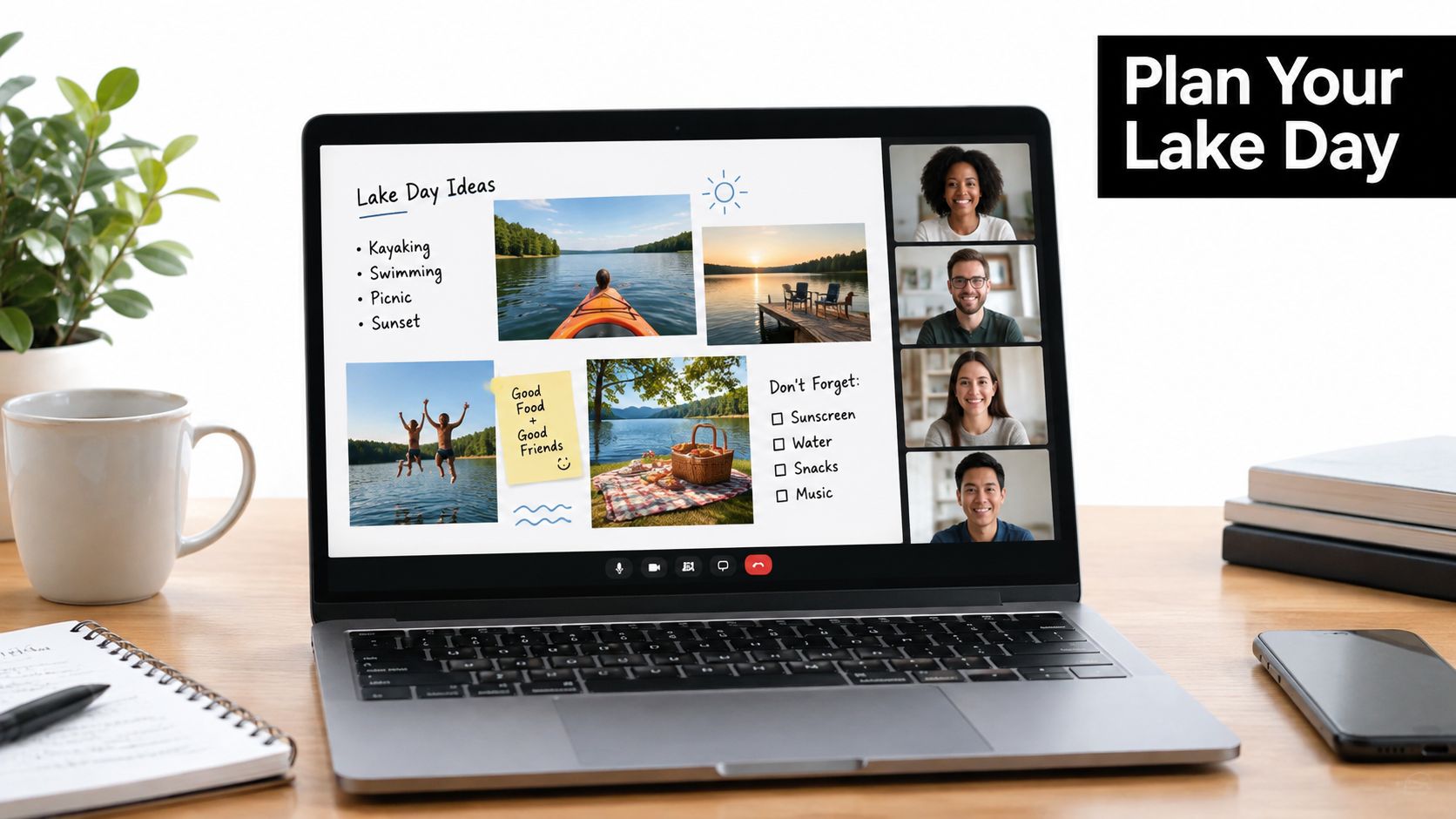
A shared visual board gives a quieter, more collaborative team a way to shape an outing together. Participants add photos, colors, music, food ideas, and activities to a digital canvas, then turn the collection into a useful planning brief.
Recommended duration: 45 to 60 minutes.
Preparation: About 30 minutes to set up a board and add starter images.
Materials: Digital whiteboard, video call, and photos of possible boat styles.
Make ideas lead to a decision
Create labeled areas for atmosphere, refreshments, music, and on-water activities. Add photos from Lake Travis Yacht Rentals' social galleries before the call, then give participants a set amount of time to contribute in each category. Use silent adding before discussion so everyone can share ideas without competing for airtime.
A remote product team might create a “Lake Day 2026” board, vote on the favorite features, and send the top choice to a manager as a booking request. A sales team could compare images and settle on a double-decker party boat with a rooftop deck for a reward outing.
The board helps people express preferences, but it can become a collage with no owner or decision. End with a vote on vessel type and date, then assign one coordinator to turn the result into a short booking summary. That person can send the group one reservation link and confirm who has authority to complete the booking.
The board is most useful when it ends with a choice, not just a collection of good ideas.
3. Virtual Mixology and Cocktail Class
Give the team something hands-on to do while a host demonstrates a lake-inspired drink. Participants can mix along from their own kitchens, compare versions, and finish with a toast that makes a future group outing feel like a natural continuation.
Recommended duration: 60 minutes.
Preparation: Allow time to choose recipes and send a shopping list at least three days in advance.
Materials: Video call, ingredients, glassware, and a nonalcoholic recipe option.
Host a session everyone can join
Send the ingredient list early and offer a mocktail alongside any cocktail recipe. The host can name a signature drink the “Lake Travis Special,” then invite participants to share their version by camera or chat. Keep the focus on the shared activity, not on whether everyone drinks alcohol.
A remote customer-success team could host the class before its quarterly in-person meeting, then book a sunset cruise as the gathering's next step. A wellness committee might choose a mocktail-only session and use it to start planning a premium pontoon outing.
The format is social and easy to personalize, but kitchen access, ingredients, and comfort with alcohol vary. A recipe that works with common ingredients and a complete nonalcoholic alternative makes participation more equitable. Close with a brief look at the refreshments-friendly experience on board, including large coolers and space to relax, then share a booking option for the group.
The team's toast can be the transition, not a hard sell: “Let's pick a date when we can make this together on the water.” Ask for a volunteer coordinator and a preferred date before ending the call.
4. Austin Lake Spots Photo Scavenger Hunt
A photo hunt gives hybrid colleagues a shared challenge they can complete from different locations. Teams post photos or short videos in a company channel, then gather to compare entries and vote on favorites.
Recommended duration: A week or two of asynchronous participation, plus a short live wrap-up.
Preparation: About 30 minutes to write challenges, set rules, and create a shared album.
Materials: Team chat, phone cameras, and a simple points tracker.
Keep the hunt flexible and safe
Include prompts such as finding an Austin landmark, capturing a scenic view, or photographing a boat on the water. Use a points system so teams can complete challenges in any order, and set clear safety expectations: no unsafe climbing and no entering the water to get a picture. For global teams, let people share a lake or waterfront scene from their own city.
A hybrid company could run a two-week hunt, then let the winning team use its prize toward a group cruise for the wider office. A nonprofit could invite volunteers to submit local lake views and vote on the most memorable image.
The flexibility supports different schedules, but asynchronous games can lose momentum without a visible deadline. Post a progress update in the team channel, then share the finished gallery during the live wrap-up. Use that moment to discuss what kind of group outing would suit the team, and point the coordinator to corporate team-building venues on Lake Travis.
A photo challenge can spark interest without requiring employees to make personal disclosures. Make the booking connection practical: ask whether the group wants a relaxed cruise or a livelier party-boat atmosphere, then send one coordinator the relevant reservation path.
5. Collaborative Lake Day Playlist Battle
Music gives people an easy way to contribute without having to speak at length. Build a shared playlist for different parts of an imaginary lake day, then let the group vote on the tracks that best fit cruising, sunset, and a waterslide session.
Recommended duration: 30 to 45 minutes.
Preparation: About 15 minutes to create a shared playlist and set guidelines.
Materials: Streaming platform, video call or chat, and a shared voting method.
Give every song a moment
Ask each participant to add three tracks and a short reason for each choice. Set a clean, workplace-appropriate guideline in advance, then sort the songs by mood or part of the outing. A design team could create a “Lake Travis Sunset” playlist and play it during its booked cruise. A regional sales group could create a playlist for each milestone and use the finished collection during a boat-party finale.
The activity is low-pressure and works well asynchronously, but a playlist can feel like a passive collection if nobody discusses the choices. Invite people to explain one track, then run a quick vote for the group's opening song and sunset pick.
Mention that the team can bring its playlist to the outing and play it through a boat's Bluetooth stereo. That makes the shared work feel connected to the event without pretending a song list settles practical questions such as date, headcount, or vessel. End by asking the group to choose a preferred outing date and name the person who'll confirm it.
6. Virtual Lake Escape Room Challenge
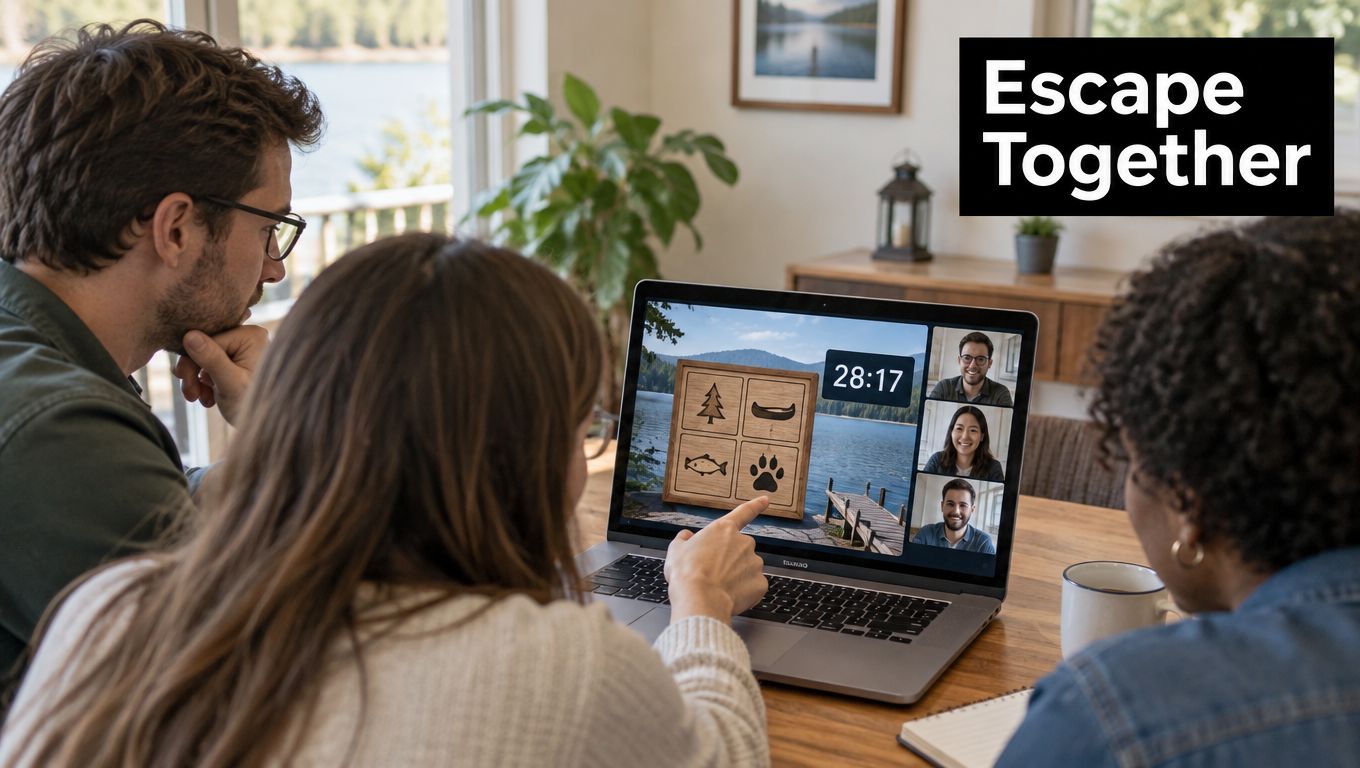
A lake-themed puzzle turns collaboration into the main event. Teams can solve a fictional treasure mystery or escape from a lake house by sharing clues, testing ideas, and keeping track of what they've already ruled out.
Recommended duration: 45 to 60 minutes.
Preparation: About an hour to test the clues and reveal.
Materials: Video call, shared slides or Google Forms, and a clue tracker.
Design puzzles for shared thinking
Use three to five puzzles and give teams 45 to 60 minutes to solve them. Assign roles such as clue tracker and timekeeper, and include a puzzle that uses Austin or Lake Travis knowledge. A product team could solve a “Lost Treasure of Lake Travis” challenge whose final clue reveals a sunset cruise booking option; an engineering team might use the game as a reward after a collaborative problem-solving session.
The escape-room format creates focus, but a puzzle that depends on one person's specialist knowledge can leave others watching. Mix visual clues, written clues, and group discussion, and let people contribute through chat as well as speech. Test the final reveal before the event so the booking path opens cleanly.
A limited-time offer should be used only if the terms and deadline are genuine and clear. Otherwise, end with a straightforward invitation to select a date and compare vessel styles. The best reveal is a practical next step the coordinator can share, not a vague promise hidden behind another puzzle.
7. Lake Life Storytelling Circle
Personal stories can build connection without turning the meeting into a competition. Invite employees to share a favorite memory of a lake, pool, beach, or boating trip, with the option to pass or contribute in chat instead.
Recommended duration: 30 to 45 minutes.
Preparation: About 15 minutes to prepare prompts and choose a facilitator.
Materials: Video call, a short prompt list, and chat for written contributions.
Make space for different comfort levels
Ask each speaker to keep their story brief, then invite the group to notice what made the memory meaningful. One leadership team might share favorite water-trip memories and decide to book a team cruise afterward. A customer-support group could use the conversation to plan an annual celebration on a party boat.
Storytelling can create warmth, but it also asks people to share personal experiences. Set a 2-minute limit to keep the session balanced, offer a pass option, and don't rank people's memories. Close with a prompt such as, “What would you like our next team memory to include?” That invites practical preferences without asking anyone to disclose more than they want.
A facilitator can then give a brief overview of luxury yachts, double-decker party boats, and premium pontoons, and ask which kind of setting fits the group. For ideas that connect shared activities with workplace relationships, share team-bonding activities for work. Let a named coordinator gather the preferred date and headcount before sending the booking path.
8. Virtual Vessel Selection Vote
Sometimes the team is already interested in an outing and needs help making a decision. A focused comparison and vote can turn a long email thread into a concrete choice about the kind of Lake Travis experience that fits the group.
Recommended duration: 30 minutes.
Preparation: About 20 minutes to prepare a one-page comparison and poll.
Materials: Video call, vessel descriptions, poll, and a designated coordinator.
Move from preferences to reservation
Before the call, confirm the expected headcount and share a comparison of luxury yachts, double-decker party boats, and premium pontoons. During the meeting, ask employees to weigh the group's priorities: atmosphere, activities, and how people want to spend time together. A corporate event coordinator could guide the team toward a double-decker party boat with a rooftop deck for an annual event. A marketing department might choose a premium pontoon for a smaller, more relaxed afternoon.
The vote is efficient, but it shouldn't replace checking availability, group size, or the practical details of the outing. A poll can narrow preferences; the coordinator still needs to confirm the date and complete the reservation. Close the call by sending the booking link to that person while everyone is still present, and give the team a clear response deadline.
Online convenience matters when several people need to coordinate. A booking analysis citing a 2024 GetApp scheduling survey reports that 78% of consumers expect instant confirmation when booking online, while Baymard Institute research cited in the same analysis found that consumers are generally willing to spend less than two minutes moving from a booking page to confirmation (online booking expectations). Those figures concern online booking behavior generally, not boat-charter reservations. They still make a practical case for sharing a direct path with visible details, rather than leaving the group to sort out an open-ended inquiry.
8 Virtual Team-Building Activities: Side-by-Side Comparison
| Activity | Implementation Complexity | Resource Requirements | Expected Outcome | Ideal Use Case & Key Advantage |
|---|---|---|---|---|
| Lake Day Trivia Showdown | Low; needs a host and prepared questions | Video-call platform, quiz or polling tool, reliable internet | Competitive team engagement and interest in a lake outing | Quick, low-cost icebreaker for teams of almost any size |
| Dream Lake Day Vision Board | Low to moderate; needs facilitation and a clear structure | Digital whiteboard, shared images, voting tools | Shared outing preferences and a plan to support booking approval | Inclusive planning that gives participants a visual way to compare options |
| Virtual Mixology and Cocktail Class | Moderate; requires advance coordination | Live host, video platform, ingredients, optional mocktail recipes | Social connection and a themed group toast | Distributed teams seeking a memorable activity; mocktails support broader participation |
| Austin Lake Spots Photo Scavenger Hunt | Moderate; requires challenge design and safety guidelines | Shared Slack or Teams channel, task list, phone cameras | Creative entries and local discovery | Hybrid teams; encourages exploration and creates shareable content |
| Collaborative Lake Day Playlist Battle | Low; needs simple rules and voting | Shared streaming playlist, collaboration platform | A team playlist for a future outing | Asynchronous teams; easy to run across time zones |
| Virtual Lake Escape Room Challenge | High; puzzles and clues need preparation | Video-call platform, shared documents or puzzle tool, timer | Collaborative problem-solving and a story-driven lake outing reveal | Teams seeking a structured challenge with strong engagement |
| Lake Life Storytelling Circle | Low; needs prompts and timekeeping | Video-call platform, facilitator, optional voting or reactions | Stronger personal connection and shared memories | Teams looking for a simple, reflective bonding activity |
| Virtual Vessel Selection Vote | Low to moderate; requires accurate options and group details | Vessel comparison, polling tool, headcount and budget information | A clear vessel choice and next-step booking plan | Coordinators needing to reach a group decision efficiently |
Keep the Energy Moving From Screen to Water
The best virtual activity ends with a visible next step. Ask participants to confirm their preferred date, headcount, atmosphere, and vessel type, then send one direct booking link with a named coordinator and a response deadline while the team is still engaged. A clear decision is more useful than a chat full of enthusiasm with nobody assigned to act.
Lake Travis Yacht Rentals offers fully captained luxury yachts, double-decker party boats, and premium pontoons for corporate gatherings with different group sizes and styles. The vessels come with features such as Bluetooth stereos, private restrooms, lily pads, water toys, and large coolers, while many double-deckers also offer rooftop decks and waterslides. That gives the host practical options to match the team's preferred atmosphere, from a relaxed afternoon on a pontoon to a livelier outing on a party boat.
Keep the planning grounded in the team's goals. If the activity was a vision board, use its top choices to guide the vessel discussion. If it was trivia or an escape room, let the winning team pick between suitable options, then have the coordinator check the group's date and headcount. For storytelling or a playlist session, carry the team's shared preferences into the outing instead of treating the virtual event as a separate experience.
Make the transition easy to follow. Capture the preferred date, headcount, atmosphere, and vessel type in the meeting summary, share it in the team channel, and follow up personally within 24 hours. If participants are spread across locations or schedules, keep the booking details in one message so decision-makers can review them without searching through the call notes.
Safety and timing deserve a place in the planning conversation, especially when the group is considering activities on the water. Confirm the itinerary and relevant requirements with the charter team ahead of arrival, rather than making assumptions during the outing. The host can then focus on participation, logistics, and the purpose of bringing colleagues together.
The virtual session should create real momentum, not pressure. Give employees a meaningful choice, identify one person who'll handle the reservation, and make the next step simple enough to complete while the team's shared excitement is still there.
Lake Travis Yacht Rentals offers fully captained luxury yachts, double-decker party boats, and premium pontoons for corporate outings, with onboard features that make it easy to turn a virtual team activity into a shared day on the water. Choose your preferred vessel and date, then visit Lake Travis Yacht Rentals to start planning your team's Lake Travis cruise.